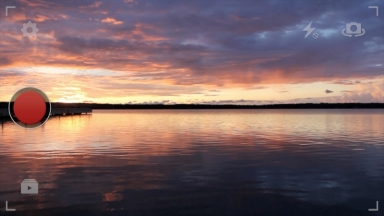
YouTube Capture Final Cut Pro X Effect

13 Flares 13 Flares ×

Uno momento por favor!
Before you download would you like to sign up for my newsletter? It’s free & you’ll be the first to know about new plugins.


What is this?

YouTube Capture is a new iPhone app that makes recording video easy. Use this effect to give your video a YouTube Capture point of view look.

Install and use

  1. Download and unzip the file.
  2. Move the unzipped folder “Stupid Raisins YouTube” to Movies>Motion Templates>Titles.
  3. Restart Final Cut Pro X.
  4. In FCPX click on the Title browser.
  5. Select Stupid Raisins YouTube category and then drag and drop an effect onto your clip.
If you have any questions, suggestions or use this in a video let me know in the comments below.

Leave a Reply

Your email address will not be published. Required fields are marked *

*

You may use these HTML tags and attributes: <a href="" title=""> <abbr title=""> <acronym title=""> <b> <blockquote cite=""> <cite> <code> <del datetime=""> <em> <i> <q cite=""> <strike> <strong>

New & free plugins right in your inbox.
No Spam. Just a few emails a month.
30 Shape Transitions

Shape Pop is 30 customizable Final Cut Pro X transitions that breaks your video into different shapes to reveal the incoming clip.

26 Panel Transitions

Panel Pop is 26 customizable Final Cut Pro X transitions that breaks your video into panels and animates to reveal the incoming clip.

23 Block Transitions

Block Pop is 23 customizable Final Cut Pro X transitions that break the first video into blocks and then transform into the second video.

20 View-Master Effects & Transitions

Slide Pop is customizable Final Cut Pro X effects and transitions inspired by the sweet vintage View-Masters of your childhood.

New & free plugins right in your inbox.

No spam. Just a few emails a month.

13 Flares Twitter 5 Facebook 6 13 Flares ×
Loading...
Free plugins right to your inbox.
No Spam. A few emails/month.