Deliver a Knockout Punch with Animated Fight Graphics
Have you ever watched a fight video—boxing, MMA, wrestling, even a friendly sparring match—and thought, “This is cool, but I have no idea who’s punching who”?
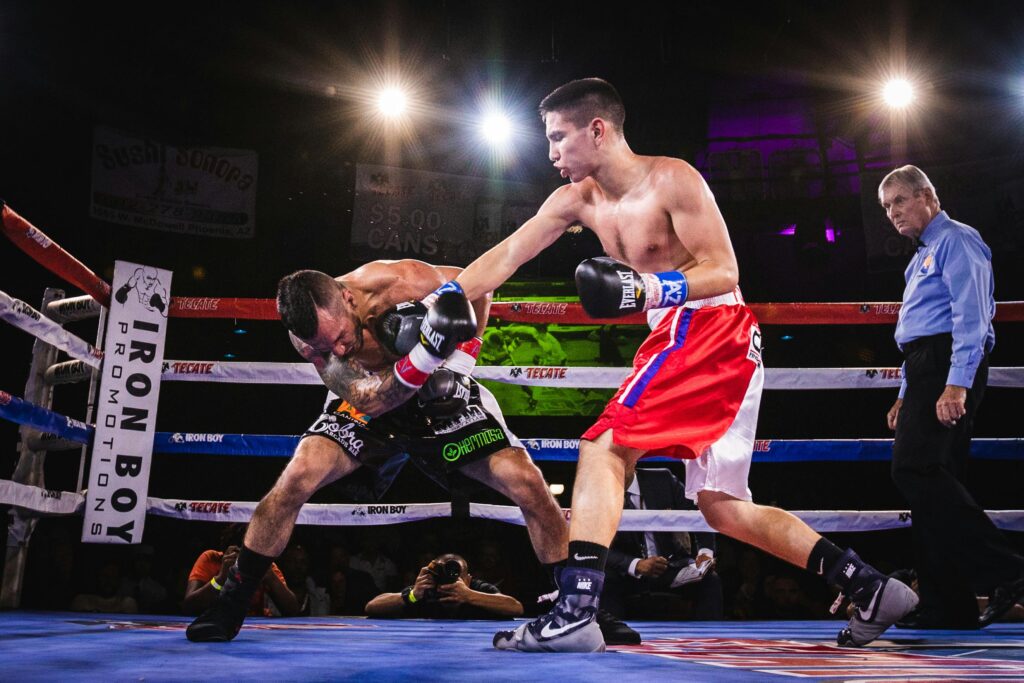
That’s where animated fight graphics come in. They’re the unsung heroes of combat-style videos, the flashy intro cards and title sequences that set the stage, pump up the audience, and make your video look like it belongs on ESPN instead of your uncle’s YouTube channel.
Without them, your video is just two people in shorts playing patty-cake. With Fight Pop, it’s a showdown.
Why Fight Graphics Are Important
Animated fight graphics aren’t just eye candy—they’re functional. They:
- Introduce fighters so your audience knows who to root for (or against).
- Add hype before the first punch is even thrown.
- Make your videos look professional and polished.
- Help your project stand out in a sea of generic fight clips online.
Think of them as the digital ring announcer. They grab attention, set the mood, and give your fight the big-league treatment.
Where You’ll See Them in Action
Fight graphics pop up everywhere:
- Pre-fight promos on social media.
- Highlight reels comparing fighters’ stats.
- Livestream intros that get audiences hyped before the bell.
- Even fun, tongue-in-cheek projects like a parody fight between “Dad vs. Yard Work.”
If you’ve ever needed to introduce two opponents—whether they’re pro fighters or just friends in a sparring match—graphics instantly boost the excitement level.
The Struggles Editors Face
Here’s the catch: making fight graphics from scratch is hard.
You’ve got to design sleek layouts, animate the text and shapes, sync movements with music, and make sure everything works in horizontal, square, and vertical formats. Unless you’re a pro motion designer with hours to burn, that’s a tall order.
Most editors either settle for clunky, default titles (meh) or skip graphics altogether (double meh). That means lost hype, lost professionalism, and lost impact.
Enter Fight Pop
This is exactly why I made Fight Pop—a Final Cut Pro plugin designed to take the headache out of creating animated fight graphics.
Fight Pop comes loaded with 15 customizable templates in three styles, so instead of building from scratch, you just drag, drop, and customize. Want to show off fighter names, stats, or head-to-head matchups? Done. Want your graphics to work for vertical TikToks or square Instagram reels? Already handled.
And because it uses Final Cut Pro’s built-in motion tracker, you can add your graphics to footage that actually follows your fighter around the screen. No manual keyframing, no stress. Just pro-level fight intros in seconds.
Making Your Videos a Knockout
At the end of the day, animated fight graphics aren’t optional anymore—they’re the difference between “amateur sparring clip” and “fight night main event.” They tell the story, create excitement, and keep your viewers watching all the way through.
If you’ve ever wanted to add that pro-level polish to your fight videos without wrestling with complicated design software, Fight Pop is your shortcut.You can try it out right now with the free demo available through the Stupid Raisins app. Just grab the Fight Pop demo here, drop it into Final Cut Pro, and see how easy it is to turn your footage into a full-on fight promotion.

About Dylan Higginbotham
Hey there. I'm Dylan Higginbotham, and I'm pretty dang obsessed with Final Cut Pro X plugins. Subscribe below because I love giving away free plugins and contributing great content.
Subscribe!
Get 99 Templates for Free!
($138 value)
Do you want to look professional without wasting time & money trying to learn a new skill? Well, check out some free titles, transitions and effects. You're gonna love 'em! Just click the button below to get 96 professionally designed and animated Final Cut Pro templates for only FREE!