The Good, the Bad and the Ugly Truth About Movie Titles in Final Cut Pro
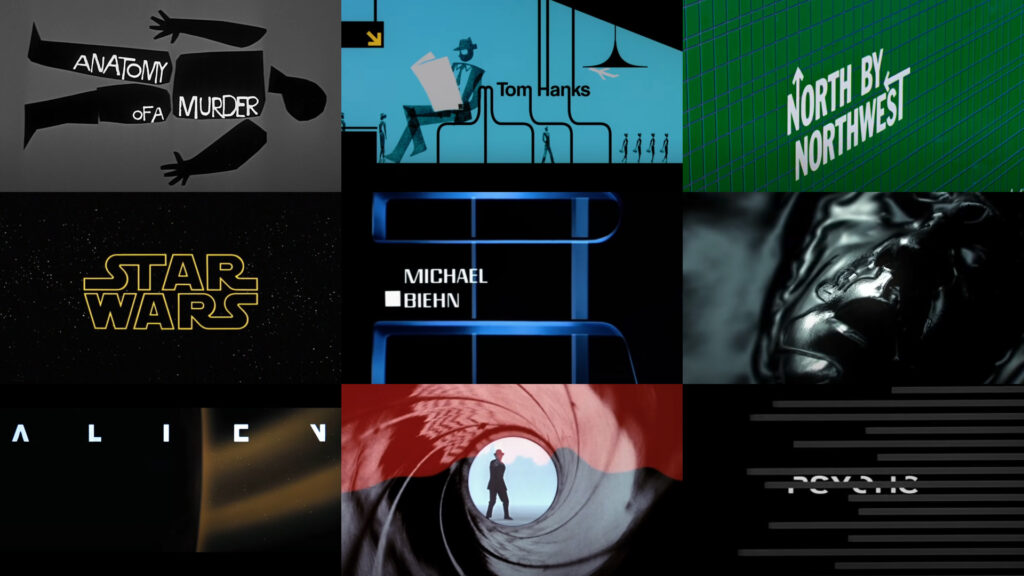
There’s a moment at the start of a movie when the title hits the screen and your brain instantly knows what kind of ride you’re about to take. Space opera. Gritty drama. Big loud action movie with explosions and a helicopter shot for no reason. That moment isn’t accidental.
Copycat movie titles let editors borrow that emotional shorthand without reinventing cinema from scratch. They’re familiar, fun and powerful. They’re also way harder to make than most people expect, even in Final Cut Pro.
Let’s break down why copycat movie titles matter, how editors actually use them and the real-world problems that pop up when you try to build them yourself.
What is a copycat movie title anyway?
A copycat movie title isn’t a direct copy of a famous movie. It’s a lookalike. The goal is to echo the style closely enough that viewers immediately recognize the vibe and movie without you crossing into knockoff territory.
When done right, a copycat title:
- feels instantly familiar
- communicates genre and mood in seconds
- sets expectations before anyone speaks
- adds production value fast
Your audience will consciously think “oh that looks like that movie” and their brain absolutely feels it.
Why copycat movie titles work so well
Copycat titles work because they tap into shared visual language. We’ve all watched enough movies that certain fonts, animations and lighting styles trigger emotional responses almost automatically.
Here’s what they do especially well.
- They set the tone immediately – Comedy feels playful. Sci-fi feels vast. Drama feels serious. The title does the heavy lifting before the first line of dialogue.
- They create instant buy-in – Familiar styles feel comfortable. Viewers relax and trust the video faster.
- They boost perceived quality – A strong opening title can make a simple video feel polished and intentional.
- They save time later – When the tone is clear upfront, the rest of the edit has a clearer direction.
This is why copycat titles show up everywhere, not just in parody videos.
How editors actually use copycat movie titles
Editors use these titles in far more places than people realize. Some of the most common use cases include:
- Spoof and parody videos where the closer the title feels the funnier the payoff
- Home movies like weddings, anniversaries, birthdays and family tributes
- Corporate videos trying very hard not to feel corporate
- School and student projects where cinematic language helps communicate ideas
- YouTube intros that need to hook viewers quickly
- Personal memorials and tributes where tone really matters
In all of these cases, the title isn’t decoration. It’s part of the storytelling.
Why making copycat movie titles in Final Cut Pro is hard
On the surface, a movie title looks simple. Big text. Cool font. Some glow. Maybe a slow push-in. Easy right?
This is where things get messy.
Typography is unforgiving
Movie titles rely heavily on typography details. Kerning, tracking, weight and spacing all matter. Being slightly off can make a title feel cheap or wrong. Final Cut Pro’s basic text tools are fine but dialing in cinematic typography takes experience and patience.
Animation timing matters more than effects
Most cinematic titles don’t move much. What they do have is carefully tuned motion.
Common mistakes include:
- linear animations that feel robotic
- moves that are too fast or too flashy
- easing that doesn’t feel natural
Subtle motion is harder than flashy motion.
Glow lighting and texture are deceptively complex
That soft cinematic glow usually isn’t one effect. It’s a stack of treatments working together. Too much glow looks amateur. Too little looks flat. Finding the balance is fiddly and time-consuming.
Perspective and depth are tricky to fake
Many blockbuster titles use depth parallax or faux-3D movement. You can fake this in Final Cut Pro but it takes layering discipline and restraint. One wrong shadow and the illusion collapses.
Aspect ratios make everything worse
A title that looks great in 16:9 can fall apart in square or vertical video. Suddenly you’re adjusting scale spacing and animation timing all over again.
Consistency becomes exhausting
Building one custom title is doable. Building multiple variations that all feel consistent is where editors usually tap out.
The Motion detour problem
Yes, Apple Motion exists and it’s powerful. It’s also a completely different mindset.
For editors who live in Final Cut Pro, jumping into Motion can feel like switching languages mid-sentence. Instead of focusing on story and pacing, you’re suddenly designing templates, managing behaviors and publishing controls.
That’s great if motion design is your thing. If not, it can slow everything down.
Where copycat titles usually fall short
When editors try to DIY these titles, a few problems show up again and again.
- the title looks almost right but not quite
- it takes far longer than expected to build
- it’s hard to reuse later
- it breaks when formats change
- it distracts from the actual edit
None of this makes you a bad editor. It just means title design is its own skill set.
A smarter approach to copycat movie titles
You don’t need a perfect recreation. You need something that captures the feeling. A solid copycat movie title should be recognizable without being a clone, fast to drop into a timeline, easy to customize, stable across formats and predictable in behavior.
That’s a tall order if you’re starting from scratch every time.
Where Blockbuster Pop fits in
Blockbuster Pop is a Final Cut Pro plugin built specifically to solve the practical problems of creating animated copycat movie titles inside FCP.
It includes 20 cinematic lookalike titles inspired by some of the biggest blockbusters in movie history. The point isn’t just variety. It’s removing friction.
Here’s what it helps with.
- You’re not starting from zero – Typography, animation, timing and visual treatment are already dialed in.
- You stay inside Final Cut Pro – No app switching. No broken workflows.
- Customization is editor-friendly – Change text, colors, positions, backgrounds and animation using published controls.
- The titles are format-aware – They’re built to work in 4K, HD, square and vertical videos.
Designing and animating believable movie titles from scratch in Final Cut Pro is genuinely hard work. Blockbuster Pop lets editors focus on storytelling while still getting that cinematic opening moment.
It’s especially useful for editors who want their videos to feel intentional without spending hours nudging sliders.
Why understanding this still matters even if you never use a plugin
Even if you never touch Blockbuster Pop, learning how copycat movie titles work will make you a better editor. You’ll start noticing how animation timing affects emotion, how typography communicates genre, how subtle movement feels more cinematic and how consistency improves professionalism.
Titles stop being an afterthought and start becoming part of the story.
Trying it without pressure
If you want to see how polished copycat movie titles can feel inside Final Cut Pro, you can download the Stupid Raisins app and try Blockbuster Pop using the free demo. The demo is fully functional with a watermark so you can test it in real projects without committing.
Copycat movie titles aren’t lazy.
They’re efficient storytelling tools. They use familiar visual language to communicate tone quickly and clearly.
The hard part isn’t understanding why they work. The hard part is making them work well inside an editor that isn’t built primarily for motion design.
Whether you build your own, tweak templates or use tools designed for the job, the real win is knowing what makes these titles feel cinematic in the first place.
Once you see that, you’ll never look at a movie title the same way again.

About Dylan Higginbotham
Hey there. I'm Dylan Higginbotham, and I'm pretty dang obsessed with Final Cut Pro X plugins. Subscribe below because I love giving away free plugins and contributing great content.
Subscribe!
Get 99 Templates for Free!
($138 value)
Do you want to look professional without wasting time & money trying to learn a new skill? Well, check out some free titles, transitions and effects. You're gonna love 'em! Just click the button below to get 96 professionally designed and animated Final Cut Pro templates for only FREE!